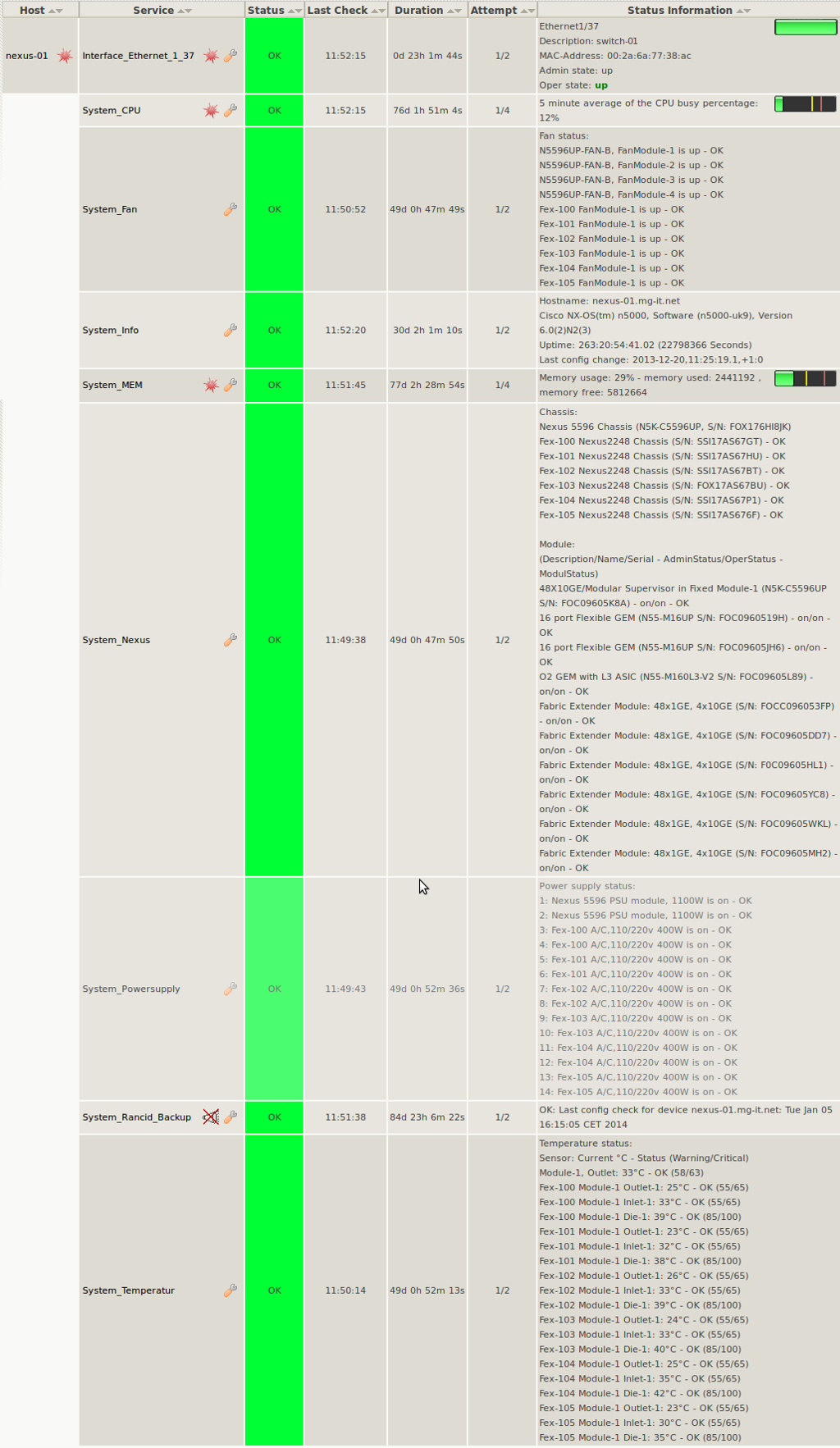
check_snmp_cisco_nex ist eine für Cisco Nexus angepasste Variante von check_snmp_cisco_cat.
WICHTIG:
ist dass vor den ersten Checks der Info-Check ein erstes mal ausgeführt worden sein muss. Am besten in dem der Check vor den Interface-Checks angelegt wird.
$PLUGINSDIR$/check_snmp_cisco_nex -H 172.16.64.42 -C xxxxx -e info
Benutzung
Usage: check_snmp_cisco_nex -H <IP-address> -C <snmp community string> -e <object>
       [-w <warning_level> -c <critical_level>]

       FIRST RUN "check_snmp_cisco_nex -H <IP-address> -C <snmp community string> -e info"
       for creating interface-index the other checks won't work.


Options:

 -H <IP-address>

 -C <snmp community string>

 -e <object>

    available objects:

    [check_cpu] (% warning and critical level possible)


    [check_memory] (% warning and critical level possible)


    [check_connections] (number of warning and critical connections possible)


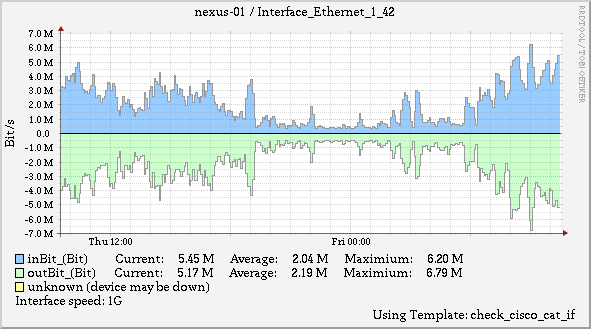
    [check_interface] (number of warning and critical bandwith-usage possible)
      -i <interface-name>
            interface-name is something like GigabitEthernet3/16
      -x <minutes>
            max age for interfaces index- cache-file in minutes


    [check_fan]
      Fan status


    [check_power]
      Power supply status


    [check_temp]
      Temperature status


    [info]
      System-Infos (Hostname, System-Type, Uptime)


 -w <warning_level> (not used by any check)
 -c <critical_level> (not used by any check)
 -E <1> activate port-status escalation (port down = return CRITICAL)
 -h, --help
 -v, --version
check_snmp_cisco_nex wurde u.a. mit folgenden Cisco Switches getestet:
- Nexus 5596, Version 6.0(2)N2(3)
Download: check_snmp_cisco_nex.tgz